
How to Pay for Paid Parking in Northern Cyprus
In paid parking zones in Northern Cyprus (for example, in Nicosia), you park within the marked spaces, pay for the desired time at a parking meter or through a supported app, and confirm the payment. For a parking meter, this usually involves placing a ticket under the windshield; for app payments, confirmation appears in the system without a paper ticket. In Nicosia, street meter rates are typically set in steps of 30/60/90/120 minutes — 3 TL / 5 TL / 6 TL / 8 TL.
Paid parking zones exist in major cities of Northern Cyprus. Using Nicosia as an example, here’s how to pay for parking.
- How to pay for parking via a parking meter
- How to pay for parking via an app
- Parking fees
- Frequently Asked Questions
How to pay for parking
First, park your car within the marked paid zone. Further steps depend on the payment method.
If paying via a parking meter
- Go to the parking meter and pay for the desired time (cash/card or another method indicated on the meter).
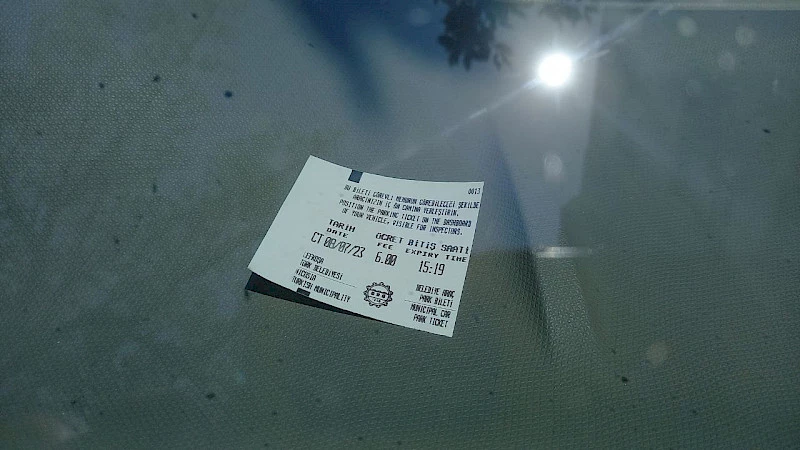
- Wait for the machine to print a ticket showing the parking end time.
- Place the ticket under the windshield so it is clearly visible from outside.
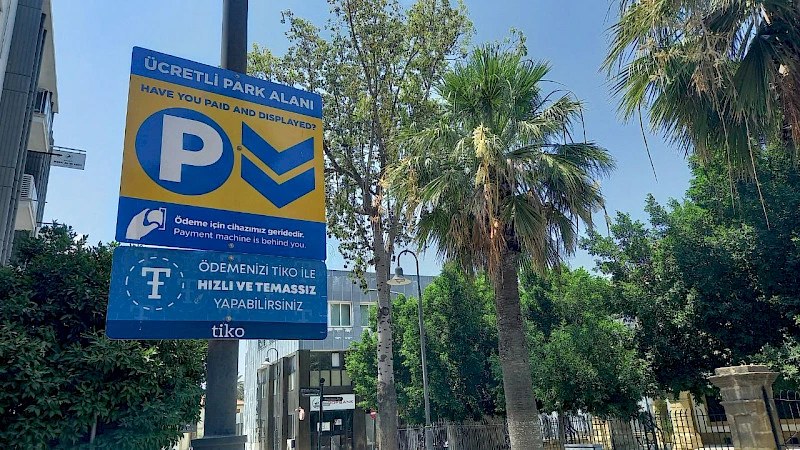
The paid parking zone is marked with the following sign:
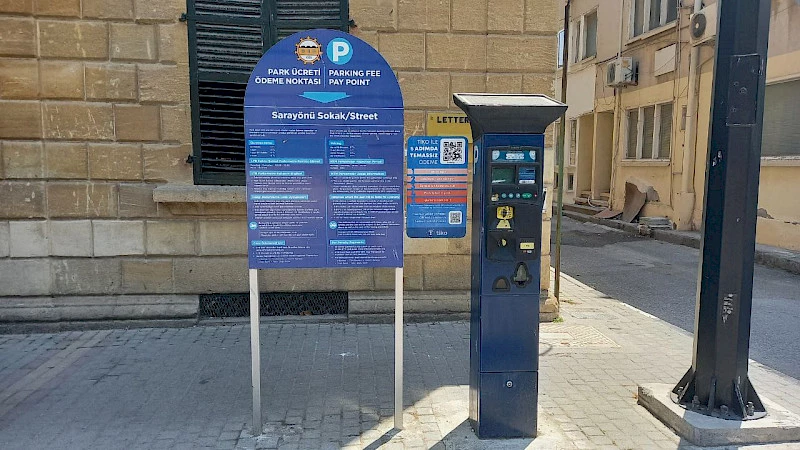
The payment machine looks like this:
If paying via an app
In Nicosia, payment through city services/apps (e.g., Tiko and Local Pay) is available. Always follow the payment methods indicated on the specific parking meter: usually, it displays the service name, a QR code, and/or a short instruction.
How to do it
- Open the Local Pay app (or another service listed on the parking meter).
- Scan the QR code on the meter or manually select the company in the app.
- Select the "parking" service, enter your vehicle number and parking duration.
- Pay for parking and check that the payment status appears in the app. After successful payment, placing a ticket under the windshield is usually not required.

Parking fees
In Nicosia (Northern Cyprus) as of February 2026, the following rates apply. In practice, rates and payment steps may vary by area and type of parking, so always follow the information on the specific parking meter.
| Time | Cost |
|---|---|
| 0–30 minutes | 3 TL |
| 31–60 minutes | 5 TL |
| 61–90 minutes | 6 TL |
| 91–120 minutes | 8 TL |
Frequently Asked Questions about parking in Northern Cyprus
How much does parking in a paid zone cost?
Using Nicosia as an example, cited by Cyprus-FAQ (February 2026): 0–30 min — 3 TL, 31–60 min — 5 TL, 61–90 min — 6 TL, 91–120 min — 8 TL. Before paying, check the rate on the specific parking meter: it is displayed on the screen/stickers.
What is the fine for unpaid parking?
If you do not move your car after the paid time expires or do not pay at all, a fine for violating parking rules may apply. In practice, the amount and issuance of the fine depend on the city and type of violation. Other fines can be viewed at this link.
Is there free parking time?
In some cities, from Monday to Saturday until 8 a.m. and after 8 p.m., as well as all day Sunday, parking in such areas may be free. Before parking, check signs/stickers at the location: restrictions sometimes vary by street or zone.
What should I check before paying at a parking meter?
Usually, it is sufficient to verify: (1) you are parked within the paid zone markings, (2) the rate and payment step, (3) the payment method, (4) the parking end time on the ticket or in the app. If a ticket is printed, place it under the windshield so it is readable from outside.
Can I avoid parking and reach the destination without a car?
If you do not want to find a parking spot and pay in the city center, in some cases it is easier to take a taxi or transfer. For pre-booking a route, KiwiTaxi is sometimes used.
Paid parking is still limited in Northern Cyprus cities, but it is important to follow rules for free parking and pay for paid parking. Car owners may also find it useful to follow Telegram forums:
Author

I am a person who is not afraid to change life when my heart tells me that something greater lies ahead. I am originally from Belarus. I have journeyed from pedagogical and economic education to the financial sector and many years of work in logistics — a world where everything moves, changes,…
You may also be interested in:
- Electric scooter and e-bike rental in Northern Cyprus
- Ada Kart in Northern Cyprus: How to Pay on Buses by Card or Smartphone, Where to Buy and Top Up
- How to Get from Kyrenia — Alsancak — Lapta and Back: Buses, Schedule, Price
- How to Get from Kyrenia to Karşıyaka, Geçitköy, Çamlıbel, Maviköşk and Back: Buses, Schedule, Price
- Driving licences in Northern Cyprus — fees and rules